Profit Tracking Tools for Freelancers (From Data to Profit Insight)
Introduction
Profit tracking tools for freelancers help translate financial data into clear profitability insights.
Many freelancers search for software to manage their finances—comparing accounting tools, invoicing platforms, and time tracking apps.
However, tools alone do not create financial clarity.
Profit tracking determines whether client work actually converts into sustainable profit.
Many freelancers generate strong revenue while experiencing margin erosion due to hidden costs, inefficient projects, or untracked time.
Within the Processome operating model, financial analysis belongs to the → Profit Tracking System—the framework responsible for translating revenue activity into profitability.
Tools support this system by organizing and visualizing financial data.
Financial intelligence comes first.
Tools support implementation.
What You Actually Need (Before Choosing a Tool)
Before selecting a profit tracking tool, freelancers must understand what they need to measure.
For example:
- To understand profitability → financial tracking
- To understand effort → time tracking
- To understand margins → both
Most financial problems are not caused by missing tools—but by missing structure.
Key profitability concepts include:
- contribution margin
- effective hourly rate
- break-even thresholds
- client profitability
These frameworks are explained in:
→ Revenue vs Profit Growth for Freelancers
→ Contribution Margin in Freelance Businesses
→ Effective Hourly Rate Calculation Framework
Tools operationalize these frameworks.
They do not replace them.
The Core Problem
Many freelancers approach financial management from a tool-first perspective.
They expect software to:
- automatically organize income and expenses
- identify profitable clients
- generate financial insights
However, tools can only process the metrics defined within your system.
If profitability is not structured, tools cannot produce meaningful insights.
Profit tracking begins with financial frameworks—not tools.
Profit Tracking Tools Framework
Most freelancers combine multiple tools to build financial visibility.
The goal is not to use more tools.
The goal is to use the right tools for the right purpose.
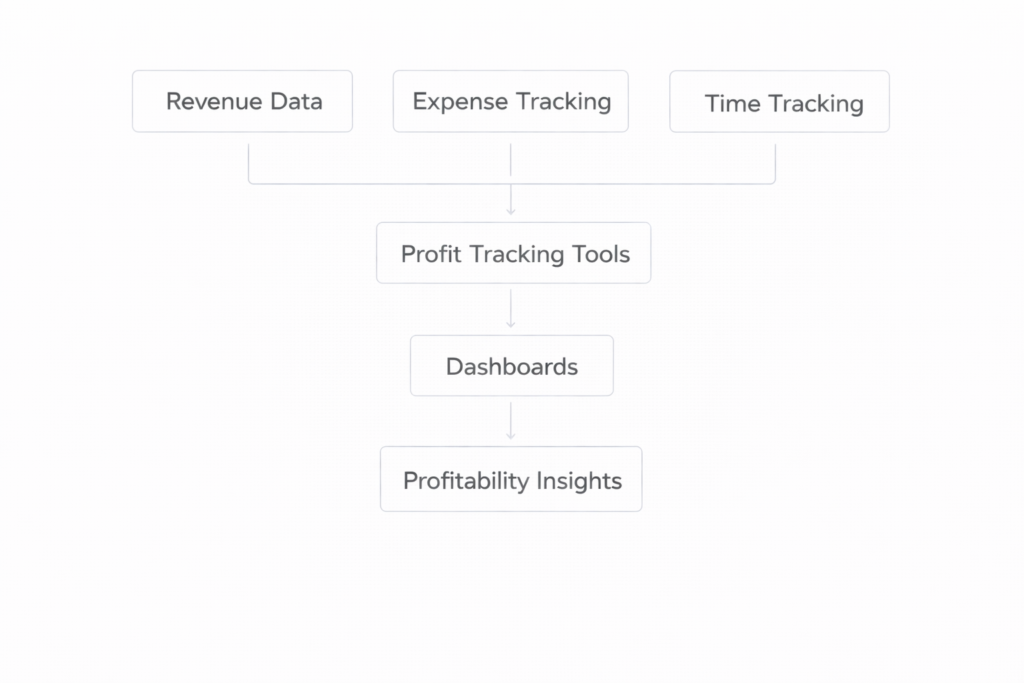
1. Accounting Software (Financial Layer)
Xero
Best for: Structured financial visibility and profitability tracking
What it solves:
Provides a clear overview of revenue, expenses, and financial performance.
Key strengths:
- automated expense tracking
- structured reporting
- strong integrations
Limitations:
- requires basic accounting knowledge
- setup takes time
When to use:
When revenue becomes consistent and financial visibility is required.
→ Explore Xero
→ Learn more about Xero
QuickBooks
Best for: Widely adopted accounting with strong ecosystem
Provides structured bookkeeping and reporting for growing freelance businesses.
FreshBooks
Best for: Simple invoicing and financial tracking
Simplifies client-based financial workflows and expense tracking.
2. Time Tracking Tools (Effort Visibility)
Toggl Track
Best for: Understanding how time is distributed across clients
What it solves:
Makes delivery effort measurable—critical for profitability analysis.
Key strengths:
- simple tracking
- billable vs non-billable visibility
- fast setup
Limitations:
- no financial tracking
- requires consistency
When to use:
When you want to connect time → revenue → profitability.
→ Explore Toggl Track
→ Learn more about Toggl Track
Harvest
Combines time tracking with invoicing, linking effort directly to revenue.
→ Learn more about Harvest
Clockify
Free time tracking tool for freelancers starting to measure delivery effort.
→ Learn more about Clockify
3. Project Profitability Tools
Some tools combine:
- revenue tracking
- time tracking
- project management
These provide project-level profitability insights.
Best suited for freelancers managing multiple concurrent engagements.
4. Financial Dashboards
Dashboards consolidate financial data into visual insights.
Typical metrics include:
- revenue trends
- contribution margins
- client distribution
- profit forecasts
Dashboards help identify patterns—but depend on accurate data input.
How to Choose the Right Tool
Tool selection depends on your stage.
Early-stage freelancers:
→ Start with time tracking
Growing consultants:
→ Combine time tracking + accounting
Advanced operators:
→ Integrate multiple tools for full visibility
The goal is not complexity.
It is clarity.
Operational Impact
When tools support structured profit tracking, several benefits emerge.
Financial Visibility
Clear understanding of how revenue converts into profit.
Pricing Decisions
Profitability data reveals whether pricing is sustainable.
Client Portfolio Management
Identify high-value vs low-value clients.
Financial Forecasting
Improve accuracy of revenue and profit projections.
System-Level Impact Across Processome
Profit tracking tools support multiple systems.
- Client Pipeline System → visibility into revenue distribution
- Capacity Planning System → linking time to financial outcomes
- Profit Tracking System → measurement of profitability
- Delivery & Operations System → identification of inefficiencies
Tools connect financial data with operational decisions.
Related: From Insight to Action
Tools help you track.
But decisions require evaluation.
To analyze which clients are actually profitable:
→ Freelance Client Profitability Calculator
Final Perspective
Freelancers often believe the right software will solve financial uncertainty.
In reality, clarity comes from structured thinking.
Within the Processome operating model, the → Profit Tracking System defines how revenue translates into sustainable profit.
Tools support that system.
They do not replace it.
The right tool does not create financial intelligence.
It makes it visible.